The most interesting ten seconds in a recording are not always the best ten seconds to share. A viewer who has not seen the full video may not know who is speaking, what a gesture refers to or why the ending matters. Before choosing an effect or output format, decide what the excerpt should communicate.
This is an editorial planning exercise you can do before opening the timeline. It works for a demonstration, an interview answer or a short highlight from your own recording.
Write one sentence about the point
Describe what someone should understand after watching. For a demonstration, that might be: “The latch is secure when the indicator turns green.” For an interview, it could be: “The speaker explains why the first prototype was abandoned.”
That sentence gives you a way to judge what belongs in the clip. An impressive shot that does not help communicate the point may be better saved for another edit. You do not have to compress every useful moment into one result.
It also helps you write a specific title later. A title describing the latch test is more informative than a filename such as demonstration-final-new.
Find the minimum context the viewer needs
Imagine a recording where a presenter asks a question at 00:42, an operator demonstrates the answer at 00:48 and the result becomes visible at 00:56. Starting exactly at the result may create a mysterious image. Including all the earlier conversation may bury the useful moment.
Try a first selection beginning just before the relevant question and ending after the result is clear. Watch it without the rest of the recording. Then remove only the material that the explanation can comfortably do without.
Numbers in this example are planning references, not a recommended universal clip length. A complete idea may need more or less time. If a mandatory duration makes the explanation misleading, choose a narrower subject instead of removing essential context.
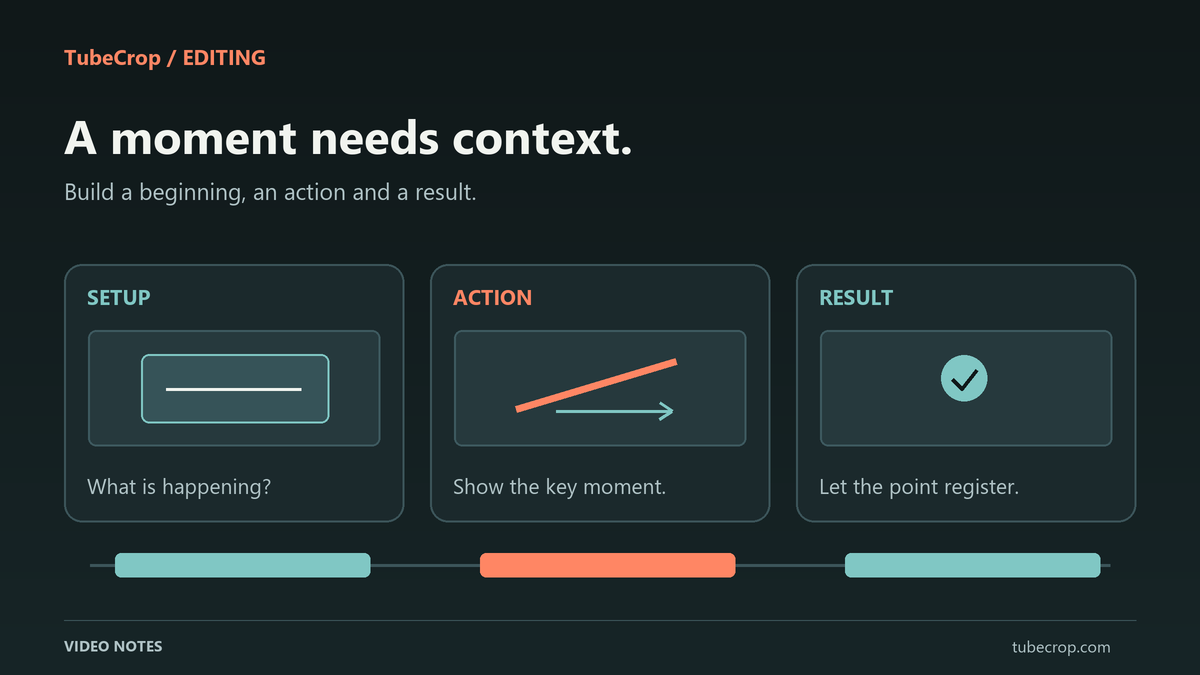
Look for a beginning, an action and a result
For the latch example, the beginning identifies the part being tested. The action shows the operator closing it. The result gives the viewer time to see the green indicator. These are three editorial functions, not a requirement to add three separate shots.
One continuous interval can contain all three. Start in the video cutter if that is enough. Use Studio when you genuinely need separate moments, several sources or another audio track.
Beginning: can the viewer identify what the clip is about?
Action: is the important movement or explanation understandable?
Result: does the ending show or complete the promised point?
Do not add a transition simply to conceal an unclear selection. First check whether the sequence makes sense with straightforward joins.
Listen before you polish the picture
A visually clean cut can still remove the first word of an answer or the end of a sentence. Listen through the opening and ending, then through every join in a montage. Background sound can also make two otherwise plausible shots feel abruptly disconnected.
Leave enough of the speaker's phrasing to preserve meaning. If you reorder statements, check the result against the original conversation. A shorter edit should not imply that someone answered a different question.
In Studio, linked audio and independent music have different timeline relationships. Listen to the mix you intend to publish, rather than assuming that a waveform or a transition setting proves that the join sounds right. The Studio highlights article covers those controls in more detail.
Review it as a first-time viewer
Play the clip from the beginning with the source video out of view. Ask what a person needs to know that the clip never explains. Check whether visible text can be read at the intended viewing size and whether the last frame has time to register.
If possible, ask someone unfamiliar with the recording to describe the point in their own words. Treat a confused answer as information about the edit. It is more useful than adding decorative elements to a sequence whose purpose remains unclear.
Choose the sharing method last
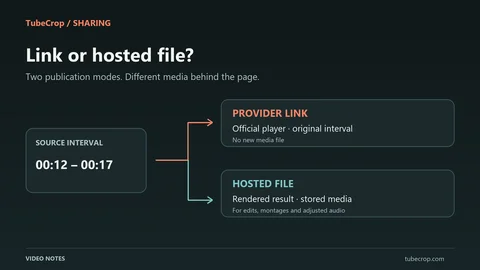
Once the selection works, decide whether you need a file, a hosted public clip or a supported provider reference. A downloadable file and a link to a player are different deliverables. Keep an original copy and your project if you expect to revise the work later.
Use the sharing guide for hosted pages and embeds, or read YouTube links versus hosted video before choosing direct playback. The final title and description should tell the viewer what this specific excerpt shows.