You have selected the right moment and want someone else to watch it. TubeCrop now offers two publication modes: a link that plays the source through a supported provider's official player, and a file hosted by TubeCrop. The public clip page may look similar, but the underlying media, limitations and available actions are different.
At publication of this article, YouTube is the only provider enabled and validated for direct interval playback. Other providers continue to use hosted publication where their sources can be processed. An import or download being supported does not automatically mean that direct clipped embeds are supported too.
What a provider clip link contains
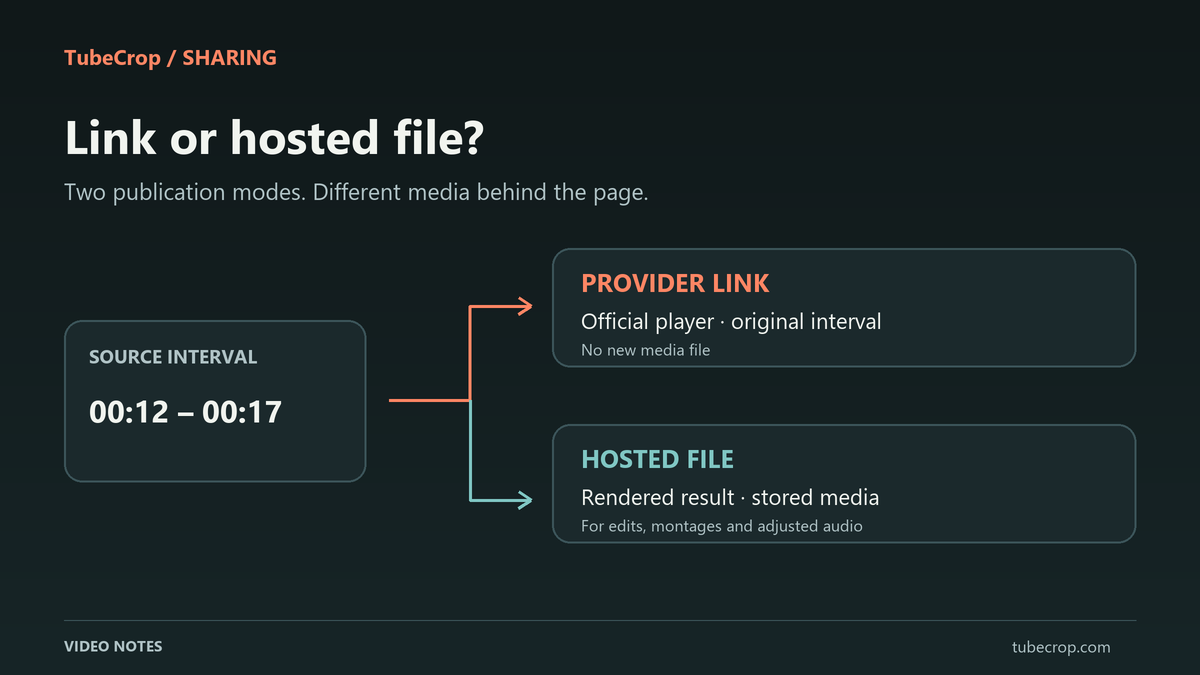
A direct publication stores a reference to the original video and the selected start and end times. It does not create a new media file, run an export encoder or upload a video copy into TubeCrop's clip storage. The official player loads after the viewer chooses Play.
For example, selecting 12–17 seconds creates a five-second playback interval referring to those positions in the source. It is not a five-second downloadable MP4. The clip page identifies YouTube as the playback provider and offers a link to the original video.
The viewer can replay the chosen interval, but these are playback boundaries controlled through the provider. They are not a promise of frame-accurate editing. YouTube's official player parameters distinguish the start position from the end position, which is measured from the beginning of the original video.
When direct publication is eligible
Use it for one continuous interval from a supported remote video with its original picture and audio. In the basic editor, the publishing dialogue checks the source and your adjustments before offering the source-link option.
In Studio, the saved project is checked as well. A montage, transition, additional music track, changed speed or picture adjustment needs a rendered result. Canvas settings that change the output can also make the direct option ineligible. The dialogue should explain why hosted publication is selected instead.
If you want a link to the original moment, avoid adding edits you do not need. If you want to change the result, use the hosted workflow. Do not expect a provider link to encode the brightness, audio mix or transitions from your project.
What hosted publication creates
Hosted publication processes the chosen result into a stored video or audio file. This is the appropriate route for a multi-segment sequence, local media, captures and edits that must be represented in the shared media itself.
The hosted video publication workflow uses MP4/H.264; hosted audio uses M4A. It is subject to the duration, size and daily publication limits shown in the dialogue. Review the finished result before distributing its public page or embed code.
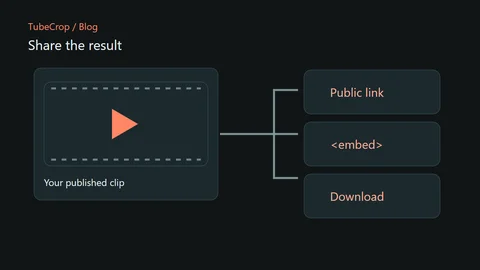
The hosted sharing guide explains public pages and management links. Downloading an export is a separate action from publishing a clip. In particular, a provider-reference page does not offer a TubeCrop video-file download because no such file was created.
Availability still depends on the source
A provider reference cannot keep a removed or private original playable. Authentication requirements, geographic restrictions or disabled embedding may also prevent the official player from opening it. A link that worked when published may later become unavailable.
TubeCrop does not silently choose another video or start rendering a replacement. The viewer should see an availability message and a link to the original source. The external player can apply its own cookies and show its own advertising; it is loaded only after the viewer chooses to play.
Hosted publication avoids depending on that original player for each playback, but it has its own expiry and service limits. Neither mode should be treated as a permanent archive.
Both modes have a publication lifetime
New TubeCrop clips have a 30-day publication lifetime from publication under the current policy. A provider reference has the same TubeCrop validity period without guaranteeing that the provider keeps the original available throughout it. Check the expiry shown on the public page.
Keep the private management link separate from the public URL. Sharing a public page or embedding it does not mean that it is automatically listed in the gallery; gallery visibility remains subject to moderation.
Open the basic editor for a single source or Studio for a project. Choose the mode that matches what you want to deliver: playback of the original interval, or a stored version of your edited result. Only publish material you have permission to share.